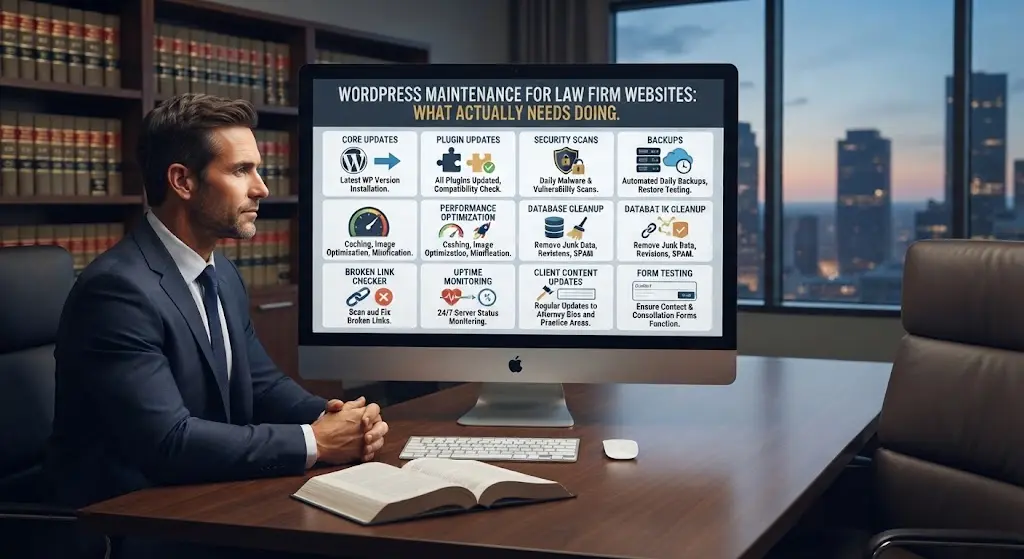

Our broader law firm website maintenance and hosting guide covers the full picture of ongoing care. This article goes deeper on the WordPress-specific side: exactly what tasks a WordPress site needs, on what schedule, and why each one matters.
Core, Theme, and Plugin Updates
WordPress core, your theme, and every installed plugin release updates regularly — often including security patches. Applying these within 48-72 hours of release closes known vulnerabilities before they can be exploited. Waiting weeks or months leaves the site exposed to attacks that specifically target known, unpatched vulnerabilities.
Backup Verification, Not Just Backups
Having automated backups running is not the same as having backups that actually work. Periodically testing that a backup can genuinely be restored — not just confirming a backup file exists — is the step most maintenance plans skip, and the one that matters most when disaster actually strikes.
Malware Scanning and Removal
Regular automated scans catch malware injections, spam link insertions, and unauthorized file changes before they compound into a full compromise. Left undetected, a hacked WordPress site can quietly inject spam content that damages both search rankings and firm reputation for months before anyone notices.
Broken Link and Form Testing
Plugin updates occasionally break form functionality without any visible error — the form still displays normally, but silently stops delivering submissions. Regular testing of every contact form, not just a visual check that the page loads, catches this before it costs the firm actual leads.
Database Optimization
WordPress accumulates database bloat over time — post revisions, spam comments, transient data — that gradually slows both the admin dashboard and the live site. Periodic cleanup keeps performance from degrading gradually and imperceptibly over years of use.
Uptime Monitoring
Automated uptime monitoring alerts someone immediately when the site goes down, rather than the firm discovering it hours or days later from a client mentioning the site “wasn’t working.” For a law firm, hours of silent downtime translate directly into missed leads.
A Realistic Example of Maintenance Catching a Problem Early
A firm’s contact form plugin releases an update that inadvertently breaks email delivery, though the form itself still displays and submits normally on the front end — visitors have no way of knowing their message never arrived. Under a managed maintenance plan, monthly form testing catches this within weeks, and the fix takes minutes. Without that testing, the firm has no way of knowing anything is wrong until a potential client mentions during an unrelated call that they “tried reaching out through the website a while back and never heard anything.” By then, an unknown number of leads have simply vanished, with no record they ever existed.
A Realistic Maintenance Schedule
| Task | Frequency |
|---|---|
| Security updates (core, theme, plugins) | Within 48-72 hours of release |
| Backups | Daily |
| Backup restore test | Quarterly |
| Malware scan | Daily, automated |
| Form and link testing | Monthly |
| Database optimization | Quarterly |
| Uptime monitoring | Continuous, automated |
Why Staging Environments Matter
A staging environment is a private copy of the live site, used to test updates before they touch the version visitors actually see. Applying an update directly to a live site risks a visible, public break if something goes wrong; testing on staging first catches conflicts — a plugin update that clashes with the theme, for example — in a space where mistakes are invisible to clients and easy to reverse. Not every maintenance provider offers this step, but it is worth asking about directly, since it is one of the clearest markers of a genuinely careful process versus one that simply applies updates and hopes nothing breaks.
What Happens Without This Maintenance
A WordPress site left entirely unmaintained does not fail all at once — it degrades gradually: slower load times, accumulating security vulnerabilities, and eventually a compromise or outage that costs far more to fix than years of routine maintenance would have. The full maintenance guide covers a real-world example of exactly this scenario playing out.
DIY WordPress Maintenance vs a Managed Plan
Every task above can technically be done by the firm itself, but doing so requires ongoing technical attention most attorneys do not have time for, and the discipline to actually follow the schedule consistently rather than “getting to it eventually.” A managed plan handles this systematically, at a predictable monthly cost.
For the full comparison of who should actually be responsible for this — staff, freelancer, or agency — see who should maintain your law firm website.
Common Questions About WordPress Maintenance
How do I know if my current maintenance provider is actually doing all of this?
Ask directly for an activity log covering updates, backups, and scan results. A legitimate provider can produce this on request; if they cannot, that is a clear warning sign.
Can updates themselves break the site?
Occasionally, if a plugin update conflicts with another plugin or the theme. This is exactly why staging-environment testing before applying updates to the live site is a mark of a properly run maintenance process.
Is WordPress maintenance different for a multi-attorney firm’s larger site?
The same tasks apply, but scale with page count — more forms to test, more content to check for broken links. Larger sites typically need proportionally more time budgeted for the monthly and quarterly tasks.
Does WordPress maintenance include content updates like new attorney bios or updated case results?
Technical maintenance and content updates are typically separate line items in a plan, though many managed plans bundle a small number of content updates per month alongside the technical checklist.
What is the single most commonly skipped maintenance task?
Backup restore testing, by a wide margin. Nearly every hosting setup runs automated backups; very few firms or even providers actually verify those backups can be successfully restored until the moment they desperately need one to work.
Should maintenance tasks be logged somewhere the firm can see?
Yes — a simple monthly report confirming what was checked and updated gives the firm visibility into work that is otherwise entirely invisible, and creates a record if something ever needs to be traced back to a specific update.
Bottom Line
WordPress maintenance is not one task — it is a checklist of specific, recurring items, and skipping any one of them compounds risk over time. See our full WordPress maintenance plan →
Attorney Website Designers provides complete WordPress maintenance for law firm websites we build. Book a free 15-minute call to see exactly what’s included.